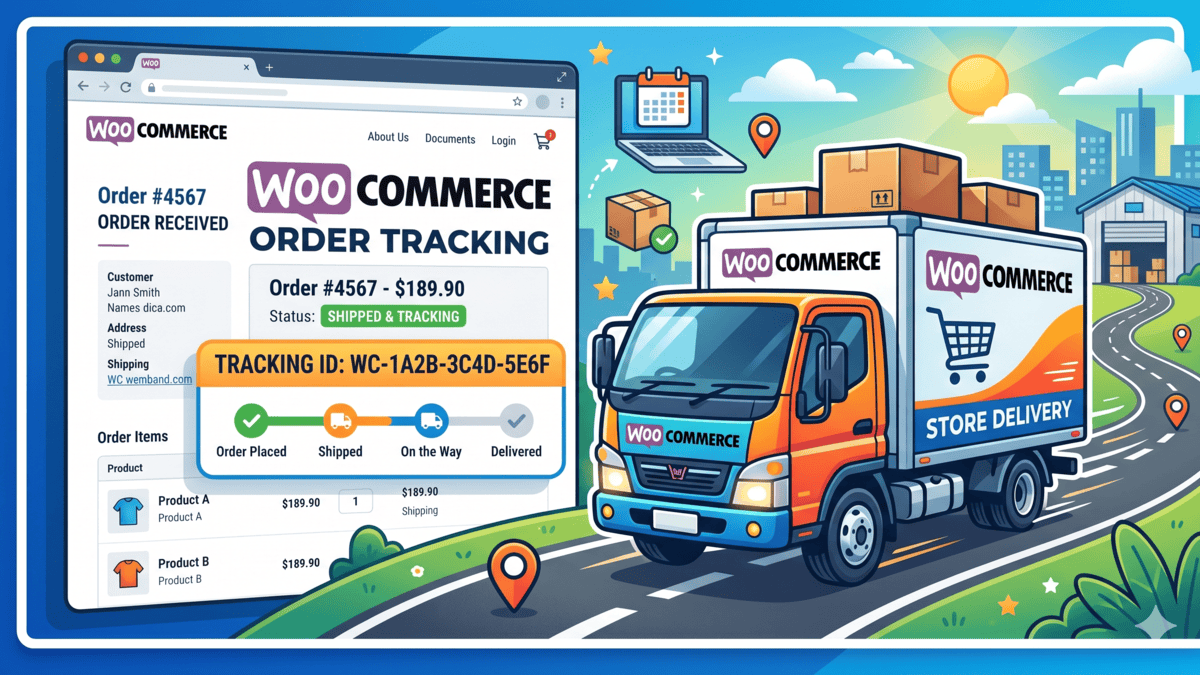
If you run a WooCommerce store in Pakistan, you already know the routine: order comes in, you log into TCS Merchant Portal or Leopard’s Courier Management System, retype the customer address, download the label, stick it on the box. Twenty orders a day and you’ve burned an hour on data entry you should never have touched.
Both TCS and Leopard expose REST APIs that let you book shipments, generate labels, and sync tracking — directly from the WooCommerce order page. This post walks through the full integration code I’ve shipped for multiple Pakistani stores, including the gotchas nobody warns you about.
What you’ll build
- A custom WooCommerce plugin that adds a “Book Shipment” button on every order
- One-click booking to TCS or Leopard based on destination or a dropdown
- Tracking ID (Consignment Number / CN) auto-saved on the order
- Printable 4×6 label stored as a PDF link
- Webhook endpoint that updates order status when courier marks “Delivered”
- Shipping-fee calculator in cart based on destination city weight
Prerequisites
You need a merchant account with each courier before touching code. These are not self-serve — you sign a contract, they assign an Account Number + API credentials. Expect 2–5 working days.
| Courier | How to sign up | Credentials you’ll receive |
|---|---|---|
| TCS | Email sales@tcsecom.com or call the corporate desk | Account Number, Username, Password, API Base URL |
| Leopard | Apply at leopardscourier.com → Business → Ecommerce | API Key, API Password, Booked Packet Code Prefix |
Important: both couriers issue separate credentials for staging vs production. Never hardcode — use a settings page.
Plugin skeleton
Create a new file at wp-content/plugins/asad-pk-couriers/asad-pk-couriers.php:
<?php
/**
 * Plugin Name: Asad PK Couriers (TCS + Leopard)
 * Description: Auto-book WooCommerce orders with TCS and Leopard.
 * Version: 1.0.0
 * Author: Muhammad Asad
 * Requires Plugins: woocommerce
 */

if (!defined('ABSPATH')) exit;

class Asad_PK_Couriers {
    public function __construct() {
        add_action('admin_menu', [$this, 'settings_menu']);
        add_action('admin_init', [$this, 'register_settings']);
        add_action('add_meta_boxes', [$this, 'order_meta_box']);
        add_action('wp_ajax_asad_book_shipment', [$this, 'ajax_book']);
        add_action('rest_api_init', [$this, 'register_webhook']);
    }

    public function settings_menu() {
        add_submenu_page(
            'woocommerce',
            'Courier Settings',
            'Courier Settings',
            'manage_woocommerce',
            'asad-couriers',
            [$this, 'settings_page']
        );
    }

    public function register_settings() {
        register_setting('asad_couriers', 'asad_tcs_username');
        register_setting('asad_couriers', 'asad_tcs_password');
        register_setting('asad_couriers', 'asad_tcs_account');
        register_setting('asad_couriers', 'asad_leopard_api_key');
        register_setting('asad_couriers', 'asad_leopard_api_password');
        register_setting('asad_couriers', 'asad_courier_sandbox');
    }

    // ... (settings page, meta box, booking, webhook methods below)
}

new Asad_PK_Couriers();
Booking a shipment with TCS
TCS uses SOAP-style XML endpoints (yes, in 2026 — welcome to legacy enterprise Pakistan). The booking endpoint is /ecom/1.0/orders/create and it expects form-encoded data, not JSON.
private function book_tcs($order) {
    $username = get_option('asad_tcs_username');
    $password = get_option('asad_tcs_password');
    $account  = get_option('asad_tcs_account');
    $sandbox  = get_option('asad_courier_sandbox') === 'yes';

    $base = $sandbox
        ? 'https://sandbox-api.tcscourier.com'
        : 'https://api.tcscourier.com';

    $shipping = $order->get_address('shipping');

    $payload = [
        'userName'           => $username,
        'password'           => $password,
        'costCenterCode'     => $account,
        'consigneeName'      => $shipping['first_name'] . ' ' . $shipping['last_name'],
        'consigneeAddress'   => $shipping['address_1'] . ' ' . $shipping['address_2'],
        'consigneeMobNo'     => $order->get_billing_phone(),
        'consigneeEmail'     => $order->get_billing_email(),
        'originCityName'     => get_option('woocommerce_default_city', 'Lahore'),
        'destinationCityName'=> $shipping['city'],
        'weight'             => $this->calculate_weight($order), // in KG
        'pieces'             => $order->get_item_count(),
        'codAmount'          => $order->get_payment_method() === 'cod'
                                 ? $order->get_total()
                                 : 0,
        'customerReferenceNo'=> $order->get_order_number(),
        'services'           => 'O', // Overnight. Use 'S' for same-day Lahore/Karachi
        'productDetails'     => $this->get_product_summary($order),
        'fragile'            => 'No',
        'insurance'          => 0,
    ];

    $response = wp_remote_post($base . '/ecom/1.0/orders/create', [
        'body'    => $payload,
        'timeout' => 30,
        'headers' => ['Content-Type' => 'application/x-www-form-urlencoded'],
    ]);

    if (is_wp_error($response)) {
        return ['success' => false, 'error' => $response->get_error_message()];
    }

    $body = json_decode(wp_remote_retrieve_body($response), true);

    if (!empty($body['returnStatus']) && $body['returnStatus']['code'] === '0200') {
        return [
            'success'       => true,
            'cn'            => $body['bookingReply']['consignmentNo'],
            'label_url'     => $body['bookingReply']['slipLink'] ?? '',
        ];
    }

    return [
        'success' => false,
        'error'   => $body['returnStatus']['message'] ?? 'Unknown TCS error',
    ];
}
Gotcha #1: TCS rejects any destinationCityName that isn’t in their exact master list. “Lahore” works. “LAHORE” works. “Lahore Cantt” fails with code 0422. Maintain a city map — see the mapping section below.
Gotcha #2: The weight field is in KG and must be a decimal with one place (0.5, not 500g). Passing grams books your shipment as 500 KG and your customer gets charged Rs. 12,000 in COD fees.
Booking a shipment with Leopard
Leopard’s API is cleaner — straight JSON, bearer-style auth. Endpoint: https://merchantapi.leopardscourier.com/api/bookPacket/format/json/.
private function book_leopard($order) {
    $api_key      = get_option('asad_leopard_api_key');
    $api_password = get_option('asad_leopard_api_password');

    $shipping = $order->get_address('shipping');
    $is_cod   = $order->get_payment_method() === 'cod';

    $payload = [
        'api_key'                 => $api_key,
        'api_password'            => $api_password,
        'booked_packet_weight'    => $this->calculate_weight($order) * 1000, // grams
        'booked_packet_vol_weight_w' => 10,
        'booked_packet_vol_weight_h' => 10,
        'booked_packet_vol_weight_l' => 10,
        'booked_packet_no_piece'  => $order->get_item_count(),
        'booked_packet_collect_amount' => $is_cod ? $order->get_total() : 0,
        'booked_packet_order_id'  => $order->get_order_number(),
        'origin_city'             => 952, // Leopard city ID for Lahore — see mapping below
        'destination_city'        => $this->leopard_city_id($shipping['city']),
        'shipment_name_eng'       => 'Package',
        'shipment_email'          => $order->get_billing_email(),
        'shipment_phone'          => $order->get_billing_phone(),
        'shipment_address'        => $shipping['address_1'] . ' ' . $shipping['address_2'],
        'consignment_name_eng'    => $shipping['first_name'] . ' ' . $shipping['last_name'],
        'consignment_email'       => $order->get_billing_email(),
        'consignment_phone'       => $order->get_billing_phone(),
        'consignment_phone_two'   => '',
        'consignment_phone_three' => '',
        'consignment_address'     => $shipping['address_1'],
        'special_instructions'    => $order->get_customer_note(),
    ];

    $response = wp_remote_post(
        'https://merchantapi.leopardscourier.com/api/bookPacket/format/json/',
        [
            'body'    => wp_json_encode($payload),
            'timeout' => 30,
            'headers' => ['Content-Type' => 'application/json'],
        ]
    );

    if (is_wp_error($response)) {
        return ['success' => false, 'error' => $response->get_error_message()];
    }

    $body = json_decode(wp_remote_retrieve_body($response), true);

    if (!empty($body['status']) && $body['status'] == 1) {
        return [
            'success'   => true,
            'cn'        => $body['track_number'],
            'label_url' => $body['slip_link'] ?? '',
        ];
    }

    return [
        'success' => false,
        'error'   => $body['error'] ?? 'Unknown Leopard error',
    ];
}
Gotcha #3: Leopard uses numeric city IDs, not names. Call /api/getAllCities/format/json/ once, cache the result, and ship a city → id map with your plugin. The list changes once or twice a year.
Gotcha #4: Leopard weight is grams, TCS is KG. I passed KG to Leopard on one project and a 2 KG box got booked as 2 grams — Leopard refused to accept the parcel at pickup. Normalise internally to grams, convert at the boundary.
Admin meta box — the “Book Shipment” button
public function order_meta_box() {
    add_meta_box(
        'asad_courier_box',
        'Courier Booking',
        [$this, 'render_meta_box'],
        'shop_order',
        'side',
        'high'
    );
}

public function render_meta_box($post) {
    $order = wc_get_order($post->ID);
    $cn    = $order->get_meta('_asad_courier_cn');
    $label = $order->get_meta('_asad_courier_label');
    $provider = $order->get_meta('_asad_courier_provider');

    wp_nonce_field('asad_book', 'asad_book_nonce');

    if ($cn) {
        echo '<p><strong>' . esc_html(strtoupper($provider)) . ' CN:</strong><br>';
        echo '<code>' . esc_html($cn) . '</code></p>';
        if ($label) {
            echo '<a href="' . esc_url($label) . '" target="_blank" class="button">Print label</a>';
        }
    } else {
        echo '<p><label><input type="radio" name="asad_provider" value="tcs" checked> TCS</label><br>';
        echo '<label><input type="radio" name="asad_provider" value="leopard"> Leopard</label></p>';
        echo '<button type="button" class="button button-primary" id="asad-book-btn" data-order="' . $post->ID . '">Book Shipment</button>';
        echo '<div id="asad-book-result"></div>';
    }
}
Hook a small JavaScript file that calls admin-ajax.php with action asad_book_shipment, and in your PHP handler dispatch to book_tcs() or book_leopard() based on the radio value. Save the returned CN with $order->update_meta_data('_asad_courier_cn', $result['cn']).
Tracking webhook — auto-update order status
Leopard pushes status updates to a URL you register in their portal. TCS doesn’t push — you pull via a cron. Handle both with a single REST endpoint:
public function register_webhook() {
    register_rest_route('asad/v1', '/courier-webhook', [
        'methods'             => 'POST',
        'callback'            => [$this, 'handle_webhook'],
        'permission_callback' => '__return_true',
    ]);
}

public function handle_webhook($request) {
    $body = $request->get_json_params();

    // Verify with a shared secret in the URL (?token=...)
    $token = $request->get_param('token');
    if (!hash_equals(get_option('asad_webhook_token'), $token)) {
        return new WP_REST_Response(['error' => 'unauthorized'], 401);
    }

    $cn     = sanitize_text_field($body['track_number'] ?? '');
    $status = sanitize_text_field($body['status'] ?? '');

    $orders = wc_get_orders([
        'meta_key'   => '_asad_courier_cn',
        'meta_value' => $cn,
        'limit'      => 1,
    ]);

    if (empty($orders)) {
        return new WP_REST_Response(['ok' => true, 'matched' => false]);
    }

    $order = $orders[0];

    switch (strtolower($status)) {
        case 'delivered':
            $order->update_status('completed', 'Delivered by courier.');
            break;
        case 'returned':
        case 'rto':
            $order->update_status('failed', 'Courier returned package (RTO).');
            break;
        case 'in transit':
        case 'dispatched':
            $order->add_order_note('Courier status: ' . $status);
            break;
    }

    return new WP_REST_Response(['ok' => true]);
}
Webhook URL becomes https://yourstore.pk/wp-json/asad/v1/courier-webhook?token=YOUR_SHARED_SECRET. Paste this into Leopard’s merchant portal under “Webhooks” → “Tracking Updates”.
COD handling — critical for Pakistan
Roughly 70–85% of Pakistani ecommerce orders are Cash on Delivery. Both TCS and Leopard settle COD on a weekly cycle (Leopard is faster — 3–5 days; TCS often 7–10). Two things must match exactly or the courier will refuse the parcel at the booking counter:
- COD amount must equal the WooCommerce
order_total, rounded to the nearest whole rupee — no decimals. - Payment method in WooCommerce must be
cod. If it’sjazzcashoreasypaisathe order is already paid — send COD amount = 0.
If you haven’t wired up JazzCash or Easypaisa yet, see my separate guides on JazzCash WooCommerce integration and Easypaisa WooCommerce integration.
Shipping rate calculator in cart
Both APIs expose a rate endpoint. Hook WooCommerce’s woocommerce_shipping_methods filter and register a custom method that queries the API server-side at checkout, with a 24-hour transient cache keyed by origin_city + destination_city + weight_kg. Don’t hit the courier API on every cart page load — you’ll blow your rate limit and slow down checkout.
$cache_key = 'asad_rate_' . md5($origin . $dest . $weight);
$rate = get_transient($cache_key);
if ($rate === false) {
    $rate = $this->fetch_tcs_rate($origin, $dest, $weight);
    set_transient($cache_key, $rate, DAY_IN_SECONDS);
}
Testing checklist
- Toggle sandbox mode, book a fake order end-to-end
- Verify CN is saved on the order and label PDF opens
- Call the tracking webhook manually with
curland a test CN - Send a real test parcel to yourself — courier staff will catch weight/city errors a sandbox never will
- Book one COD order and one prepaid order — confirm
codAmountis 0 on prepaid - Test from Lahore → Karachi, Lahore → a small town (Sialkot, Abbottabad), and Karachi → Gwadar. Remote areas have different rate cards.
FAQ
Which is cheaper — TCS or Leopard?
At volume (100+ shipments/month), Leopard is usually 15–25% cheaper for intra-city and Lahore↔Karachi routes. TCS wins on remote areas (Gilgit, Gwadar, tribal districts) where Leopard either doesn’t deliver or sub-contracts with a 2–3 day delay. For most PK stores: use Leopard as default, fall back to TCS for cities Leopard doesn’t cover. My plugin does this routing automatically.
What about M&P, BlueEX, Swyft, Trax?
All expose similar APIs — BlueEX and M&P are particularly close to TCS in structure (SOAP/XML style). Once you have the TCS + Leopard integration working, adding a third courier is a 2–3 hour job: copy the class, swap the endpoint, map the fields. I’ve shipped integrations for all four.
My store has 200 orders a day. Can this handle it?
Yes, but don’t book synchronously on “order received”. Book in a background queue (Action Scheduler is bundled with WooCommerce since 4.0 — use it). Otherwise a 5-second courier API call blocks your checkout and customers see a spinner.
Can I auto-print the 4×6 label on a thermal printer?
Yes. Both couriers return a PDF URL. For bulk printing, write a cron that fetches all unbooked orders’ labels into a single PDF (using FPDI) and sends it to a networked thermal printer via lp / CUPS. I’ve built this for a Lahore warehouse doing 300 packets/day.
What if the API is down?
TCS goes down for ~15 min every Tuesday night for maintenance. Leopard is more stable but not 100%. Catch the is_wp_error() case, store a booking_pending flag on the order, and retry with a cron every 10 minutes for 2 hours before surfacing a manual-book error to the admin.
Does this work with WooCommerce HPOS (High-Performance Order Storage)?
Yes — the code above uses $order->get_meta() and $order->update_meta_data() which are HPOS-compatible. If you’re using get_post_meta($order_id, ...) anywhere, replace it — that will break on HPOS stores.
Wrap-up
Once this is live, your daily routine collapses from “log into 2 portals, retype 30 addresses, click-click-click” to “WooCommerce → bulk-select orders → click Book → done”. A 1-hour task becomes a 2-minute one. For a store shipping 50+ orders a day, this pays for the integration within a week.
If you’d rather skip the build and have the plugin deployed on your store — or if you’re evaluating whether to rebuild your store on WooCommerce in the first place — I do this kind of work for Pakistani clients across Lahore, Islamabad, Karachi, and Rawalpindi. A typical TCS + Leopard integration with webhooks and bulk printing runs PKR 35,000–60,000 depending on how customised the rate card and label layout need to be — see my full pricing breakdown for context.
Need this on your store? Message me on WhatsApp or use the contact form with your store URL and order volume — I’ll quote in 24 hours.


